 All Quick Solutions
Quicken is a personal finance management software that has been helping Americans manage their money since 1983. It runs on Windows and macOS and connects to your bank accounts, credit cards, loans, and investment accounts to give you a real-time picture of your entire financial life.
Unlike many free apps, Quicken works offline and stores your data locally on your computer — a significant advantage for anyone who values privacy.
What Quicken lets you do:
- Connect all your bank, credit card, and loan accounts in one dashboard
- Build and track budgets by category
- Pay bills directly from the app
- Track investments, portfolios, and retirement accounts
- Generate tax-ready reports for Schedule A and D
- Plan for big goals like retirement, college, or a home purchase
Who is Quicken best for?
Homeowners — Track mortgage payments, property value, and home improvement costs over time.
Investors — Monitor stocks, ETFs, bonds, mutual funds, and 401(k) accounts with detailed performance tracking.
Landlords — Quicken Home & Business includes rent tracking, tenant management, and Schedule E reports.
Families — Budget across multiple income sources, set savings goals, and track spending by category.
Is Quicken still worth it in 2026?
Yes — especially for anyone who wants a serious, all-in-one money manager with local data storage, investment tracking, and tax planning built in.
2. Plans & Pricing (2025–2026)
Quicken offers annual subscriptions. All plans include a 30-day money-back guarantee. Prices below are approximate — check quicken.com for current rates and promotions.
Simplifi — ~$3.99/month Quicken’s modern, web-based budgeting app. Best for beginners who want a clean, simple experience. Includes bank and card syncing, spending plans, savings goals, and a mobile-first design. Does not include investment tracking.
Classic Deluxe — ~$4.99/month The most popular plan for everyday budgeting on desktop. Includes the full desktop app for Windows and Mac, budget categories, bill reminders, basic investment view, and standard customer support.
Classic Premier — ~$7.99/month (Most Popular) Adds serious investment tools and tax planning. Includes everything in Deluxe plus Portfolio X-Ray, tax reports (Schedule A and D), Quicken Bill Pay, and priority customer support.
Home & Business — ~$10.99/month The top-tier plan for freelancers, landlords, and anyone mixing personal and business finances. Includes everything in Premier plus rental property tracking, invoicing and receipts, business budget reports, and Schedule E/C reports.
Tip: Quicken frequently runs promotions in January and around tax season. Search for discount codes before purchasing.
3. How to Set Up Quicken (Step by Step)
Setting up Quicken takes about 20–30 minutes if you have your bank login details handy.
Step 1 — Download and Install Go to quicken.com, choose your plan, and purchase. Download the installer (Windows .exe or macOS .dmg). Run it and follow the on-screen prompts. Quicken requires a Quicken ID (your email) to activate.
Step 2 — Create or Sign In to Your Quicken ID When you first launch Quicken, you’ll be prompted to create a free Quicken ID or sign in. This is your account for sync and subscription management — not where your financial data is stored.
Step 3 — Add Your First Account Click “Add Account” and search for your bank. Quicken supports over 14,000 banks and financial institutions. Enter your online banking username and password. Quicken uses read-only access — it cannot move your money.
Step 4 — Review and Categorize Transactions Quicken will download your recent transactions (usually 90 days). Go through them and assign categories like Groceries, Gas, or Rent. Quicken learns your habits and auto-categorizes future transactions over time.
Step 5 — Set Up Your Budget Head to the Planning tab and click Budgets. Quicken auto-suggests budget amounts based on your spending history. Adjust them to match your goals. You can budget by month or by year.
Step 6 — Add All Other Accounts Add credit cards, investment accounts, loans, and mortgages. Each one strengthens your net worth tracking. For investment accounts (brokerage, IRA, 401k), Quicken imports holdings and pricing automatically.
Step 7 — Set Bill Reminders Go to Bills & Income and add your recurring bills — rent, utilities, subscriptions. Quicken will alert you before due dates so you never miss a payment or get hit with a late fee.
Pro tip: After setup, immediately create a backup of your Quicken data file. Go to File → Backup and Restore → Backup Quicken File. Save it to both your computer and an external drive or cloud folder.
4. Budgeting & Spending Tracking
Budgeting in Quicken is more powerful than most apps because it combines your real bank data with forward-looking planning.
How Quicken’s Budget Works
Quicken uses a category-based system. Every transaction is assigned a category, which Quicken does automatically most of the time. Your budget then tracks how much you’ve spent in each category versus your target. Items show in green when under budget, yellow when getting close, and red when over budget.
Common Budget Categories
- Housing: Rent/Mortgage, HOA, Repairs
- Food: Groceries, Dining Out, Coffee
- Transportation: Gas, Insurance, Car Payment, Rideshare
- Health: Insurance, Doctor, Gym, Pharmacy
- Entertainment: Streaming, Movies, Hobbies
- Savings: Emergency Fund, Vacation, Retirement
Spending Reports
Go to Reports → Spending to see breakdowns by month, quarter, or year. You can filter by payee, account, category, or date range. These reports are extremely useful for spotting spending trends — like realizing you spent $600 on food delivery last month.
Savings Goals
Under Planning → Savings Goals, you can set a target (such as “Emergency Fund – $10,000”) and track your progress over time. Quicken shows you how long it will take to reach your goal based on your current saving rate.
5. Bills & Payments
Bill Reminders
Quicken’s bill reminder system is one of its most underrated features. You set up a bill once — name, amount, due date, frequency — and Quicken alerts you ahead of time. Reminders appear in the Bills & Income tab and on your home dashboard.
Quicken Bill Pay
Premier and higher plans include Quicken Bill Pay, a service that lets you pay bills directly from within the app. Quicken sends electronic payments or paper checks on your behalf. This is especially useful for payees that don’t accept online payments.
Note: Quicken Bill Pay requires separate setup through a partner bank service. Most users prefer to use their own bank’s bill pay and simply track payments in Quicken.
Tracking Subscriptions
In the Bills & Income section, Quicken can automatically detect recurring transactions that look like subscriptions. This makes it easy to see exactly how many streaming services, software tools, and memberships you’re paying for each month.
6. Investment Tracking
Quicken Premier and Home & Business offer the most complete investment tracking of any personal finance app outside of professional portfolio tools.
What Quicken Tracks
- Stocks, ETFs, mutual funds, bonds, and options
- IRAs (Traditional and Roth) and 401(k) plans
- Brokerage accounts (Fidelity, Schwab, Vanguard, Robinhood, and more)
- Cryptocurrency holdings (manual entry or limited broker syncing)
- Real estate and other assets
Portfolio X-Ray (Premier only)
This powerful feature breaks down your entire investment portfolio by asset class, sector, geography, and risk level. It’s similar to Morningstar’s X-Ray tool and helps you spot over-concentration or rebalancing opportunities.
Investment Performance Reports
Quicken calculates time-weighted and money-weighted returns so you can see exactly how your investments have performed over time. You can also compare your portfolio against benchmarks like the S&P 500.
Capital Gains Reports
At tax time, Quicken generates a Capital Gains Report listing every sale, your cost basis, holding period (short vs. long-term), and gain or loss. This maps directly to IRS Schedule D and can save hours of manual work.
Tax tip: Use Quicken’s capital gains report to identify tax-loss harvesting opportunities before December 31 each year. Selling underperforming investments to offset gains can meaningfully reduce your tax bill.
7. Tax Planning & Reports
Quicken doesn’t file your taxes, but it makes tax prep dramatically faster by organizing your financial data into tax-ready categories all year long.
Key Tax Reports in Quicken
Tax Summary — Shows all tax-relevant income and deductions for the year. Available on all plans. Good for a quick overview before filing.
Schedule A Summary — Shows itemized deductions including mortgage interest and charitable donations. Available on Premier and above. Useful for deciding between itemizing and taking the standard deduction.
Schedule D Summary — Shows capital gains and losses from investments. Available on Premier and above. Essential for investors with taxable accounts.
Schedule E Summary — Shows rental income, expenses, and depreciation. Available on Home & Business only. Built for landlords.
Tax Withholding Estimator — Compares your W-4 withholding against estimated tax owed. Helps you avoid underpayment penalties throughout the year.
Tax Categories
Quicken has built-in categories that map to IRS form lines. When you assign transactions to these categories (like “Charitable Donations” or “Mortgage Interest”), Quicken automatically includes them in the correct tax report. You can configure tax categories under Edit → Preferences → Tax.
8. Mobile App Guide
Quicken includes a free companion mobile app for iOS and Android. It syncs automatically with your desktop file via Quicken Cloud.
What You Can Do on Mobile
- View account balances and recent transactions
- Check your budget status for the month
- Add and categorize transactions manually
- Upload receipt images attached to transactions
- See upcoming bill reminders
- Check investment portfolio balances
What You Cannot Do on Mobile
- Generate reports (desktop only)
- Manage investment positions in detail
- Set up new accounts
- Access tax planning tools
Note: If you want a primarily mobile experience, Quicken’s separate product Simplifi is designed for that. The Classic Quicken mobile app is a companion to the desktop, not a replacement.
9. Quicken vs. Alternatives (2025–2026)
Quicken Premier vs. YNAB
YNAB (You Need a Budget) costs about $14.99/month and is excellent for behavioral budgeting and debt payoff. It has a passionate user community and a strong methodology built around giving every dollar a job. However, it has no investment tracking, no tax reports, and no bill pay. If budgeting and debt payoff are your primary goals, YNAB is excellent. If you also need investing and tax tools, Quicken wins.
Quicken Premier vs. Empower (formerly Personal Capital)
Empower is free for basic use and has excellent investment and retirement tracking tools. However, its budgeting features are limited, it has no tax reports, and it’s cloud-only with no offline access. Empower is best for investors who want free portfolio tracking. Quicken is better for people who want everything in one place.
Quicken Premier vs. Mint
Mint was shut down in early 2024. Former Mint users can import their CSV data directly into Quicken via File → Import → Mint CSV. Quicken ran dedicated migration promotions for former Mint users through 2024 and into 2025.
Bottom line: For serious, all-in-one money management — budgeting, investing, taxes, bills, and local data storage — Quicken Premier is the best single option available in 2026.
10. Pro Tips & Hidden Features
Use Renaming Rules Go to Tools → Renaming Rules to clean up ugly bank transaction names. For example, you can map “POS DEBIT WM SUPERCTR” to simply “Walmart.” Set it once and it applies automatically forever.
Use Tags for Extra Sorting Tags work alongside categories and are incredibly useful. Create tags like “Vacation 2025,” “Home Renovation,” or “Tax-Deductible” to filter and report across multiple categories at once.
Memorize Transactions Quicken can memorize a payee’s category, amount, and memo. Right-click any transaction and choose “Memorize Payee.” This saves significant time on recurring items.
Keep Multiple Data Files You can maintain separate Quicken files for personal and business finances. Each file is completely independent. Switch between them via File → Open Quicken File.
Export to Excel Almost every report in Quicken can be exported to a spreadsheet. Click the export icon at the top of any report. This is great for custom analysis or sharing data.
Password-Protect Your File Go to Edit → Preferences → Quicken ID & Security to add a password to your local data file. This is essential if others share your computer.
Use the Debt Reduction Planner Found under Planning → Debt Reduction. Enter your debts and Quicken creates an avalanche or snowball payoff schedule with a visual timeline showing when you’ll be debt-free.
Customize Alerts Set alerts for low balances, unusual charges, upcoming bills, or budget overruns. Go to Edit → Preferences → Alerts to configure them exactly how you want.
11. Troubleshooting Common Issues
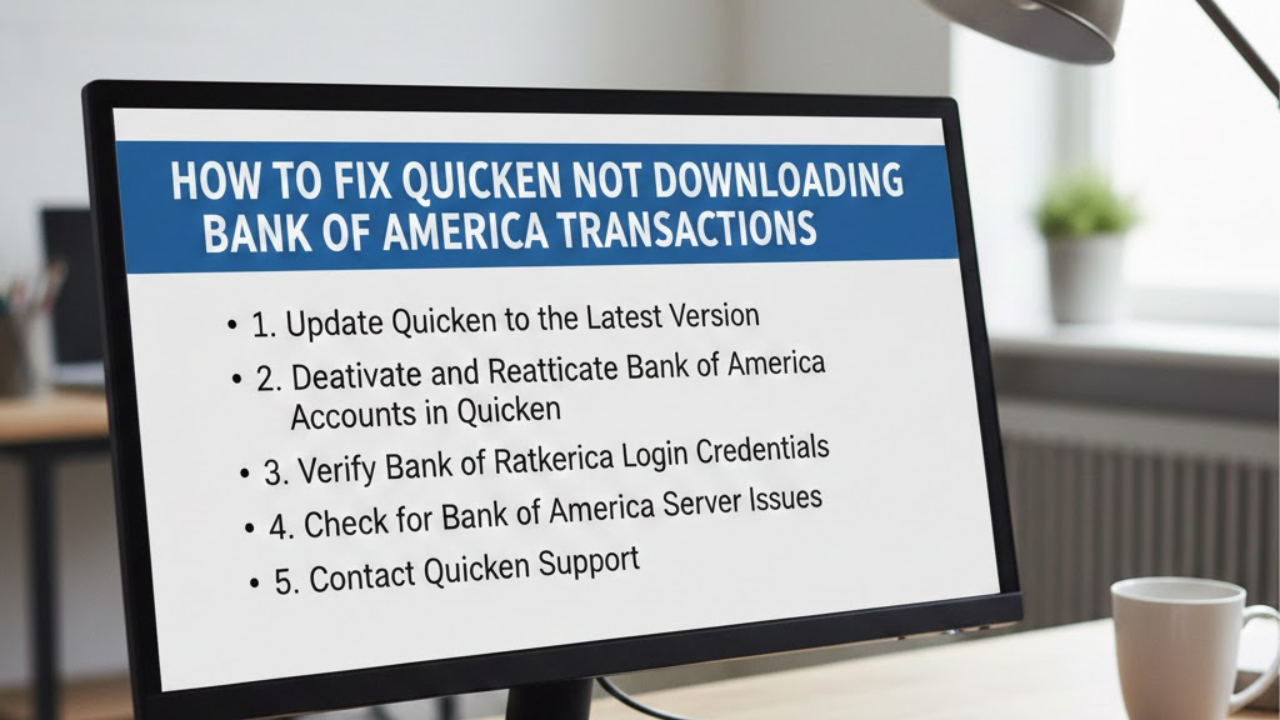
Bank Sync Not Working (CC-501, CC-800 Errors)
These are the most common Quicken errors and usually mean your bank changed something on their end.
Step 1: Right-click the affected account → Edit Account Details → Online Services tab → Deactivate. This removes the connection without deleting any data.
Step 2: In the same tab, click “Set Up Now” and search for your bank again. Enter your username and password fresh to re-establish the connection.
Step 3: If it still fails, try switching the connection method between Direct Connect and Express Web Connect. Your bank’s support page may also have a Quicken-specific help section.
Quicken Runs Slowly
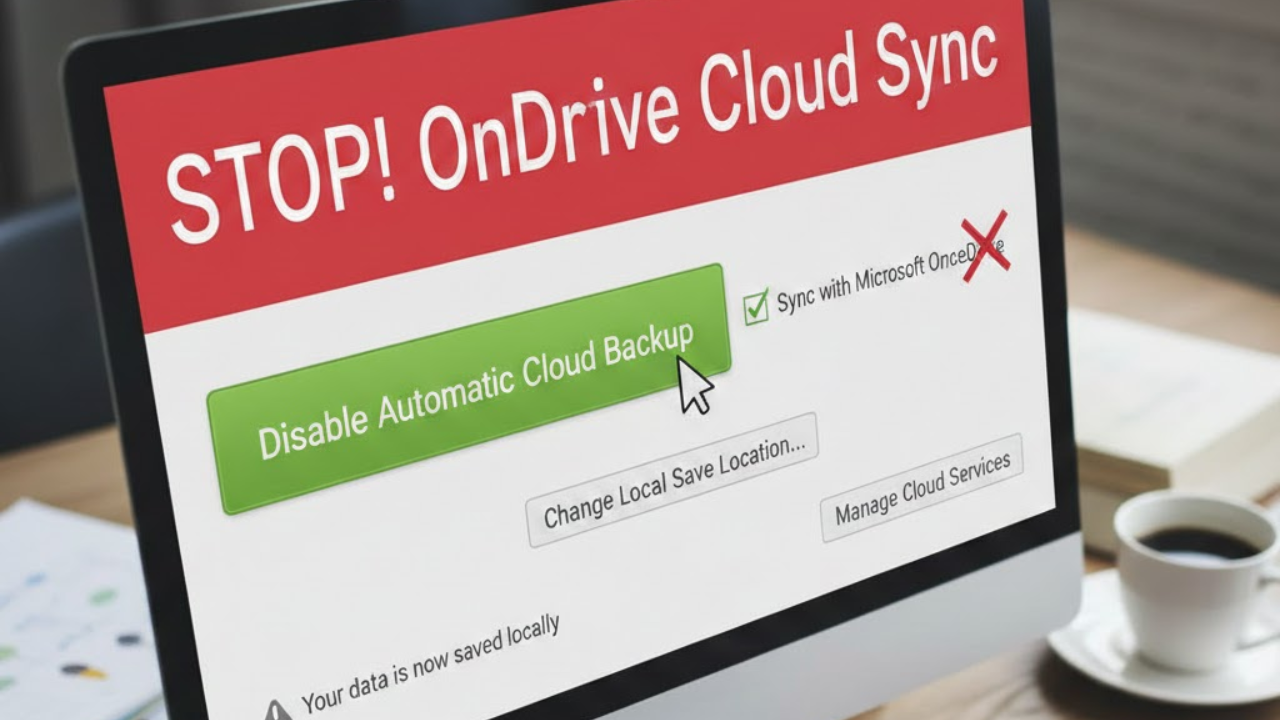
Run File → File Operations → Validate and Repair. This fixes database corruption that commonly causes slowdowns. You can also archive old data via File → File Operations → Year-End Copy, which moves old transactions to a separate archive file and lightens the main file. Also make sure your Quicken data file is not stored inside a synced cloud folder like Dropbox or OneDrive — this causes constant conflicts. Store the file locally and back it up separately.
Duplicate Transactions
This usually happens when both manual entry and automatic downloading are active. Go to Edit → Preferences → Data Entry and QuickFill and review your settings. Delete any duplicates by selecting them and pressing the Delete key.
Investment Prices Not Updating
Go to Tools → One Step Update and confirm that “Update investment prices” is checked. If a specific security isn’t updating, check it in Tools → Security List and verify the ticker symbol is correct.
Forgotten Data File Password
Warning: Quicken cannot recover a forgotten local data file password. If you set a file password and forget it, your data file is inaccessible. Always store this password in a password manager. Contact Quicken Support if this happens — they have a paid data recovery service available in some cases.
FAQ
Yes. Quicken uses read-only access to your bank — it can view transactions but cannot move money or make transfers. The connection uses 256-bit encryption and the same security protocols as online banking. Your login credentials are not stored by Quicken; they go directly to your bank via a secure connection. Quicken also stores your main data file locally on your computer rather than on their servers, which is an important privacy advantage over cloud-based apps.
Yes, but the Mac and Windows versions are separate apps with slightly different interfaces. The Windows version has historically had more features, particularly for investing. As of 2025–2026, Quicken for Mac has caught up significantly and includes most key features. Note that your data file is not cross-compatible between Windows and Mac — you’d need to export and convert if switching platforms.
Yes. Quicken is a desktop app that stores your data locally. You can enter transactions, view reports, and use all features offline. You only need an internet connection to download bank transactions, update investment prices, or use cloud sync features.
Your data file stays on your computer. After your subscription expires, Quicken enters read-only mode — you can view your data and generate reports, but you cannot download new transactions or add accounts. You keep all historical data indefinitely.
They are two different products by the same company. Quicken Classic is the original, powerful desktop application with 40 years of history — best for serious tracking, investing, and tax planning. Simplifi is a newer, web-based and mobile-first app focused on simple budgeting and spending awareness. Simplifi has a cleaner interface but far fewer features. If you want investment tracking, tax reports, or bill pay, choose Quicken Classic.
Quicken has limited native crypto support. You can add crypto holdings manually as a security and enter transactions by hand. Direct syncing with crypto exchanges like Coinbase or Binance is limited and not as seamless as with traditional brokerages. Many users maintain a dedicated crypto tracker and pull totals into Quicken manually as an asset value.
Yes. If you exported your Mint data as a CSV before the shutdown, you can import it into Quicken via File → Import → Mint CSV. Quicken ran a dedicated migration campaign for former Mint users through 2024–2025 with promotional pricing.
Create a backup on your old computer via File → Backup and Restore → Backup Quicken File. Copy the .QDF backup file to a USB drive or cloud folder. On your new computer, install Quicken, sign into your Quicken ID (your subscription covers multiple installs), and restore the backup via File → Backup and Restore → Restore from Backup. All data, accounts, and settings come with it.
Quicken Home & Business works well for sole proprietors, freelancers, and small landlords who mix personal and business finances. It handles invoicing, tracks business expenses, and generates Schedule C and Schedule E reports. However, it is not a replacement for full accounting software like QuickBooks if you have employees, inventory, or complex operations.
You can update manually anytime by clicking Update or running Tools → One Step Update. Quicken also supports automatic updates on a schedule if you enable it in preferences. How quickly new transactions appear depends on your bank — most banks post transactions within one to two business days.
Quicken is a single-user application with no built-in multi-user or family sharing mode. However, multiple people in the same household can use the same data file on one shared computer. The mobile app can also be set up so a partner can view data on their phone. If two people need to access the file from different computers, only one should have Quicken open at a time to avoid file corruption.
Direct Connect uses a secure OFX connection directly to your bank’s servers. It is faster, more reliable, and allows bill pay through Quicken. However, your bank may charge a monthly fee for Direct Connect access (typically $5–$15 per month). Express Web Connect uses a third-party aggregator and is free. It is slightly slower and occasionally less reliable but works with almost all banks. Check your bank’s website to see which connection type they support.
Quicken offers a 30-day money-back guarantee rather than a traditional free trial. You purchase the subscription, use it for up to 30 days, and if you’re not satisfied, you can request a full refund through Quicken’s support team. This effectively gives you a 30-day trial period with no risk.
Final Thoughts
Quicken isn’t the flashiest app on the market — but it is the most complete one. For over 40 years it has been the gold standard for serious personal finance management, and the 2025–2026 version is better than ever.
If you want one place to see your entire financial life — every account, every investment, every bill, every tax deduction — Quicken delivers that. The setup takes an afternoon. The payoff is years of clarity and control over your money.
New to Quicken? Start with Classic Deluxe if you mainly want budgeting and spending tracking. Upgrade to Premier when you’re ready to get serious about investments and taxes. Both come with a 30-day money-back guarantee.
Updated April 2026 · For informational purposes only · Verify current pricing and features at quicken.com
Disclaimer:
The information on https://allquicksolutions.com/ is for general informational purposes only. We are not affiliated with or endorsed by Quicken. All trademarks and brand names belong to their respective owners. Use the information at your own risk.